Tag a Whole Shop in an Afternoon
The most common reason a tool inventory fails isn't the software. It's that the job of setting it up looks like a whole weekend, so it never starts. Here's how I'd tag a one-person shop from scratch in one afternoon, in the order that gets the most value soonest, with what each choice costs.
First decide: QR labels, NFC tags, or both
A tag's only job is to open the tool's page on a phone. There are two ways to do that, and each has a place.
QR labels. CraftedTracker prints them for you: a PDF laid out for Avery 94500 sheets, which are one-inch round labels, 48 to a sheet. Print, stick, done. Any phone camera reads them, no app on either side. They're the cheapest option by a mile and the right answer for most hand tools and anything that lives in a drawer.

Their limit is size. A QR code needs enough room to be read, and a scratched or oily label stops scanning. Small handles and rough use are their enemy.
NFC tags. These are chips you tap with the phone, no camera, no aiming. The app writes them for you on Android. On an iPhone you copy the link and write it with the free NFC Tools app. They shrug off dust and glue, and they work in the dark, which matters more than it sounds at the back of a cabinet.
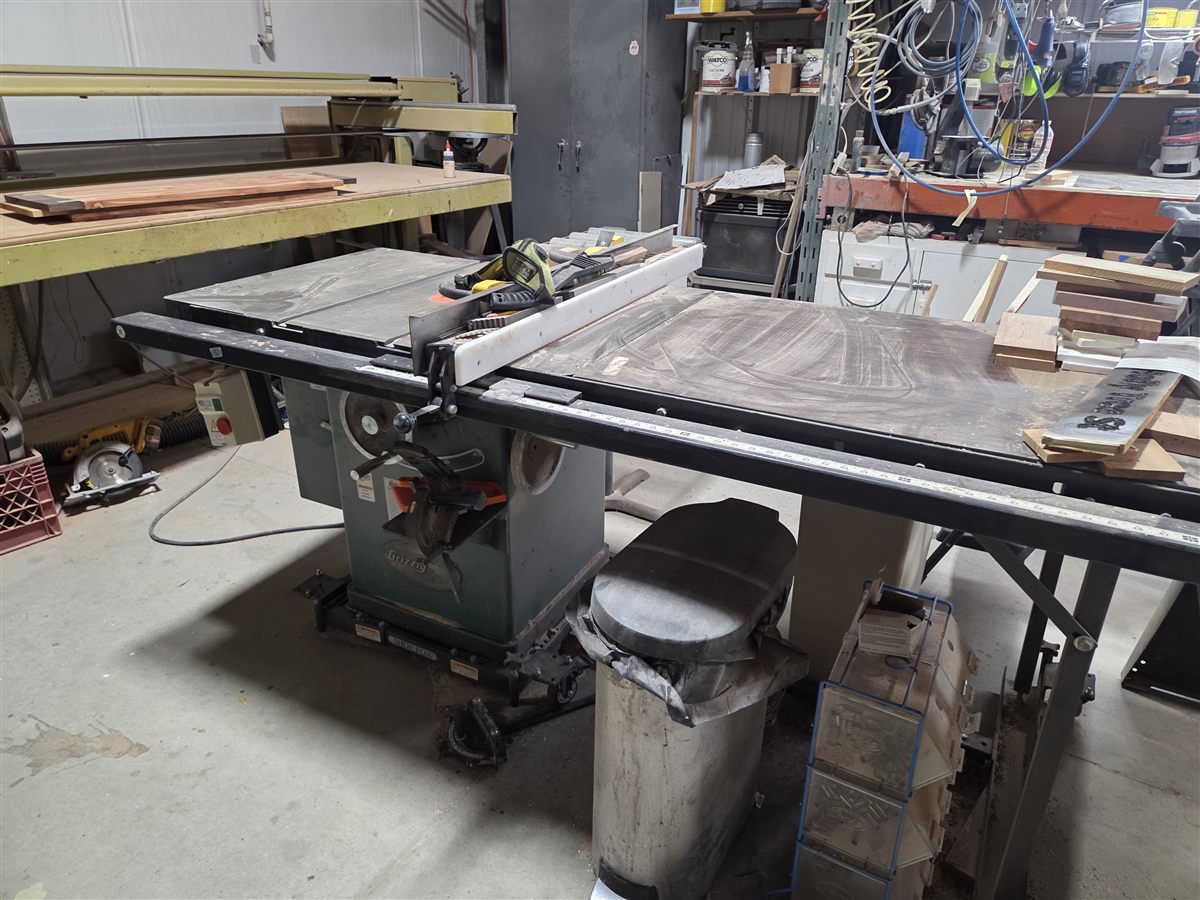
Their limit is metal. A normal NFC chip stuck directly to a cast-iron table won't read, because the metal swallows the signal. On metal tools you either use a QR label or an NFC tag made for metal surfaces, which costs more. The ones I use, both kinds, are on the supplies list.
If you want the longer version of that trade-off, I wrote it up over on the CraftedLink blog: QR or NFC for a gift tag? It depends on what you're tagging. The physics are the same whether the tag is on a cutting board or a bandsaw.
My own shop uses both. QR labels on the hand tools and the drawers, NFC on the big machines where I'll be tapping in with sawdust on my hands.
Second: do the big machines first
Don't start alphabetically. Start with the tools that would hurt most to lose or to have fail. For me that's the bandsaw, the planer, the jointer, the table saw, the dust collector, and the CNCs. Six or seven tools, twenty minutes, and the most valuable part of the shop is covered before you've touched a screwdriver.
For each one:
- Photograph it. One clear shot of the whole tool, one close-up of the serial number plate. The plate photo is the one you'll thank yourself for.
- Write down four things: purchase date, what you paid, the serial number, where you bought it. The app has a field for each. If you don't remember the price, put your best guess and mark it so; a guess beats a blank when the insurance adjuster asks.
- Stick the tag somewhere it won't get sanded, sprayed, or gripped. Under the table lip, on the motor housing, inside a cabinet door.
- Scan it once to pair it with the tool's record. From then on, that tag opens that tool.
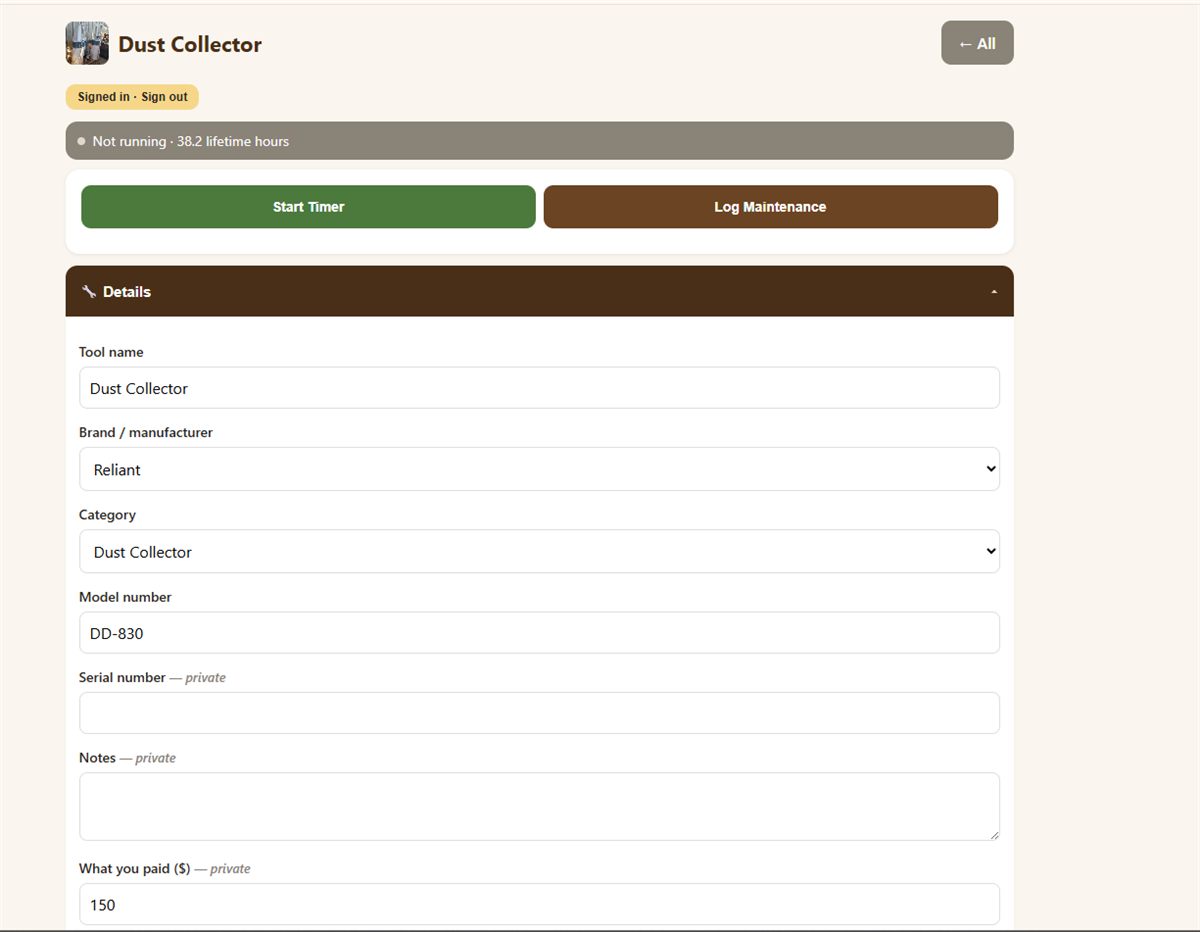
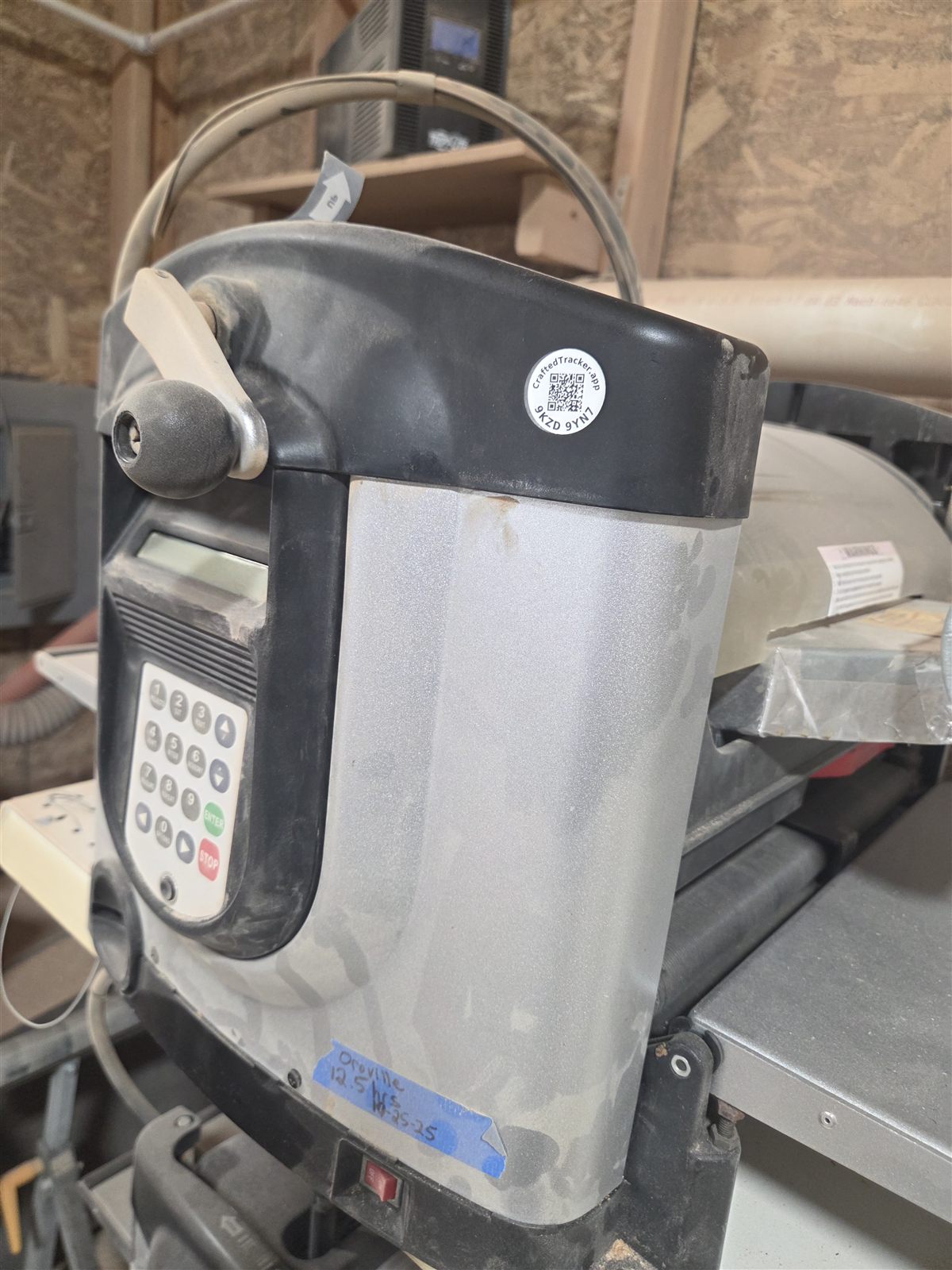
That's the loop. Photo, four facts, sticker, scan. It settles into about two minutes a tool once you've done three.
Third: the hand tools, in batches
Hand tools are where people quit, so change the job. Don't tag every screwdriver. Tag the things you'd actually look up: the good chisels, the plane you tuned for a week, the calipers, anything with a serial number, anything you'd want a service history on.
Then tag the places instead of the rest. A drawer or a cabinet can carry a tag too. Scan the drawer, see what lives in it. Cheaper than fifty labels and, for a mess of small tools, more useful.
What a visitor sees, and doesn't
Once a tag is on, anyone can tap it, which is the point when a friend borrows the planer or a customer asks about your setup. They'll see the public side: the tool's name, brand, model, condition, lifetime hours, a photo, and its maintenance history. They won't see what you paid, what it's worth, your serial number, your receipts, or where it lives. Those stay yours. I wrote a whole post about that boundary and how it's enforced if you want the details.
What it costs
Avery 94500 sheets run a few dollars each, and one sheet covers most shops. NFC tags are sold in packs. Everything I actually use, with the sizes that match what the app prints, is on the supplies list. The app itself is free to start. The afternoon is the real cost, and it's the same afternoon whether you do it now or after the next thing walks off.
Start with the big six. You'll be surprised how much of the worry goes away by the time the glue sets on the last one.
CraftedTracker is in open beta — the founder rate ($4/mo or $40/yr, locked for as long as you stay) goes to the first 20 paid subscribers.
Join the waitlist